Proper assembly of metal dome arrays is critical to achieving consistent tactile feedback, reliable electrical contact, and long service life in electronic devices. This guide covers the complete assembly process from PCB pad design through final quality inspection, drawing on best practices from metal dome array manufacturers and electronics assembly engineers worldwide.

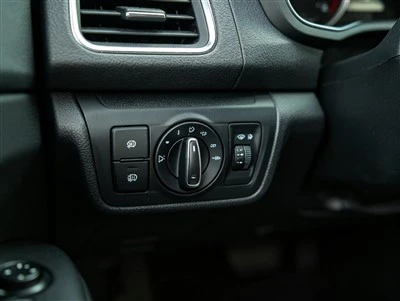
Figure 1: FPC flexible circuit with integrated metal domes for automotive steering wheel controls - dome placement, adhesive selection, and circuit routing must all be co-designed.
1. Dome Array vs. Individual Domes: When to Use Each
The first assembly decision is whether to use individual metal domes placed one-by-one, or a pre-assembled dome sheet array. This decision affects assembly cost, placement accuracy, reworkability, and long-term reliability.
Individual Metal Domes
- Best for: Prototypes, low-volume production (<1,000 units/month), designs with widely spaced keys, or applications requiring reworkability.
- Advantages: Lower tooling cost (no custom array die), individual dome replacement possible, flexible placement for non-standard layouts.
- Disadvantages: Higher assembly labor cost, placement accuracy depends on operator skill or pick-and-place precision, risk of dome rotation or misalignment, inconsistent adhesive application.
- Assembly method: Manual placement with tweezers, or automated pick-and-place with custom nozzle. Each dome must be aligned to PCB pad marks and pressed firmly to activate adhesive.
Pre-Assembled Dome Sheet Arrays
- Best for: High-volume production (>5,000 units/month), multi-key panels (5+ keys), automotive and medical devices requiring consistent quality, designs with closely spaced keys.
- Advantages: All domes pre-positioned on a single PET/PI carrier film with precision die-cut adhesive, one-step placement, consistent dome orientation and alignment, 100% electrical continuity testing by supplier, reduced assembly time by 70–90%.
- Disadvantages: Custom tooling/die cost ($300–$800 depending on complexity), minimum order quantity typically 1,000–5,000 pieces, entire array must be replaced if one dome fails (though failure rate is <0.1% with quality suppliers).
- Substrate options: PET (0.05–0.1mm, standard, low cost), PI (0.025–0.05mm, high temperature, flexible), or directly on FPC flexible circuit for integrated solutions.
For most production designs with 3 or more keys, a dome sheet array is the recommended approach. The one-time tooling cost is typically recovered within the first 2,000–5,000 units through reduced assembly labor and improved first-pass yield.
2. PCB Pad Design for Metal Dome Assembly
PCB pad design is the foundation of reliable metal dome assembly. Poor pad design can cause high contact resistance, intermittent contact, dome tilt, and premature failure. Follow these design guidelines:
Pad Geometry
- Center pad (common contact): Circular pad, diameter 1.0–2.0mm depending on dome size. Must be centered precisely under the dome apex. For 4mm domes, use 1.0–1.2mm center pad; for 6mm domes, use 1.5mm; for 8mm+ domes, use 1.8–2.0mm.
- Outer ring pad (ground/switch contact): Annular ring or segmented pads around the center pad. The dome rim rests on and makes contact with this pad when actuated. Outer pad diameter should be 0.5–1.0mm larger than the dome diameter to ensure contact even with minor misalignment.
- Pad spacing: Maintain 0.3–0.5mm gap between center and outer pads. Too small a gap risks solder bridging; too large a gap reduces contact area and increases resistance.
- Alignment marks: Add fiducial marks or pad outlines on the PCB silkscreen to guide dome placement, especially for manual assembly of individual domes.
Pad Finish (Surface Treatment)
PCB pad finish directly affects contact resistance and long-term reliability:
- ENIG (Electroless Nickel Immersion Gold): Recommended for metal dome applications. Gold surface provides low contact resistance (≤50mΩ), excellent corrosion resistance, and compatibility with gold-plated domes. Typical thickness: 3–5µm Ni + 0.05–0.1µm Au.
- HASL (Hot Air Solder Leveling): Low cost but not recommended for dome pads. Uneven surface can cause dome tilt, and solder oxidation increases contact resistance over time. If used, ensure pads are flat and clean.
- OSP (Organic Solderability Preservative): Low cost but provides no corrosion protection after assembly. Contact resistance increases over time due to copper oxidation. Only suitable for low-cost, short-lifecycle consumer products with Ni-plated domes.
- Immersion Silver: Good conductivity but susceptible to tarnishing in sulfur-containing environments. Not recommended for automotive or industrial applications.
Best practice: Use ENIG pad finish with gold-plated metal domes for all applications requiring >100k cycles or operating in humid/corrosive environments. This combination provides the lowest and most stable contact resistance over the product lifetime.
Solder Mask Considerations
- Solder mask must not overlap the dome contact pads - maintain 0.1–0.15mm clearance from pad edges.
- Solder mask thickness (typically 15–25µm) creates a step around pads. For small domes (≤4mm), this step can cause dome tilt. Consider using a recessed (counterbored) pad design or thinner solder mask in the dome area.
- For dome arrays, the adhesive tape area should be on solder mask, not on bare copper, to ensure consistent adhesive bond strength.
3. Adhesive Tape Selection for Dome Arrays
The adhesive tape that holds the dome array to the PCB is a critical but often overlooked component. Incorrect adhesive selection can cause dome delamination, misalignment, and contact failure, especially in high-temperature or high-humidity environments.
Key Adhesive Properties
| Property | Requirement | Why It Matters |
|---|---|---|
| Temperature resistance | ≥85°C (standard), ≥125°C (automotive under-hood) | Adhesive softens at high temp, causing dome shift and contact failure |
| Shear strength | ≥10 N/cm² at operating temp | Prevents dome rotation or lateral shift under repeated actuation |
| Outgassing | Low outgassing (ASTM E595 ≤1% TML) | Adhesive residues can contaminate contact surfaces, increasing resistance |
| Thickness | 0.05–0.10mm (including carrier film) | Thicker adhesive increases dome travel, reducing tactile ratio |
| Die-cut precision | ±0.05mm dome opening tolerance | Adhesive must not overlap dome contact area or restrict dome movement |
Recommended Adhesive Tapes by Application
- Standard consumer electronics: 3M 467MP or 3M 9495LE (0.05mm, acrylic adhesive, -40°C to +149°C). Good balance of cost and performance for indoor devices.
- Automotive interior: 3M 9077 or 3M F9460PC (0.05mm, high-temperature acrylic, -40°C to +232°C). Meets automotive temperature cycling requirements. Low outgassing.
- Medical devices: 3M 9077 or Tesa 4965 (biocompatible options available). Must meet ISO 10993 for skin contact if applicable. Low outgassing critical for enclosed devices.
- High-humidity / outdoor: 3M 4910 VHB or 3M 9077 with additional conformal coating around array edges. VHB provides superior moisture resistance but is thicker (0.25mm+), requiring design adjustment.
- Low-cost / high-volume: Nitto 5605 or equivalent polyester-based acrylic tape (0.05mm, -20°C to +100°C). Acceptable for remote controls and low-cost consumer products operating in climate-controlled environments.
Always request adhesive tape specifications and certification from your dome array supplier. The supplier should be able to provide the exact tape brand, model, and thickness used, along with temperature cycling and humidity test data for the assembled array.
4. Dome Array Assembly Process
Pre-Assembly Preparation
- PCB cleaning: Clean dome contact pads with isopropyl alcohol (IPA, 99%+ purity) and lint-free wipe immediately before assembly. Remove all solder flux residues, finger oils, and dust. For high-reliability applications, use plasma cleaning or ultrasonic cleaning.
- ESD protection: Metal domes are not ESD-sensitive, but the PCB and associated components are. Work in an ESD-safe environment with grounded wrist straps, ESD mats, and ionizers if needed.
- Environmental control: Assembly should be performed at 20–25°C and 40–60% RH. High humidity reduces adhesive bond strength; low humidity increases static charge buildup. Avoid assembly in direct sunlight or near heat sources.
- Dome array handling: Handle dome arrays by the carrier film edges only. Do not touch the adhesive side or dome surfaces with bare fingers. Use tweezers with ESD-safe tips or a vacuum pickup tool.
Placement and Lamination
- Alignment: Remove the protective release liner from the adhesive side of the dome array. Align the array to the PCB using fiducial marks, alignment pins, or a custom alignment fixture. For high-volume production, use a precision placement machine with vision alignment (±0.02mm accuracy).
- Tack placement: Lightly press the array onto the PCB at one corner, then smooth across the surface to avoid air bubbles. Do not apply full pressure yet - this allows repositioning if alignment is off.
- Final lamination: Apply firm, uniform pressure across the entire array area using a rubber roller (Shore A 40–60 hardness) or a custom press fixture. Apply 2–5 kg/cm² pressure for 5–10 seconds. Ensure pressure is applied to the adhesive areas, not directly on dome centers (which could cause permanent deformation).
- Adhesive cure: Allow adhesive to cure for 24–48 hours at room temperature before functional testing or shipment. For faster production, use a low-temperature bake (60–80°C for 30–60 minutes) to accelerate adhesive cross-linking. Do not exceed the adhesive tape's maximum temperature rating.
Post-Assembly Inspection
- Visual inspection: Check for dome misalignment, adhesive overflow onto contact pads, air bubbles, dome deformation, and foreign particles. Use 5–10x magnification for small domes (≤4mm).
- Electrical continuity test: Test each dome for open-circuit (unactuated) and closed-circuit (actuated) resistance. Unactuated resistance should be ≥100MΩ; actuated resistance should be ≤100mΩ (Au-plated) or ≤300mΩ (Ni-plated). Use a 4-wire (Kelvin) measurement for accurate low-resistance readings.
- Force verification: Spot-check actuation force using a force gauge or automated force-displacement tester. Verify that force is within ±20% of specification. For high-volume production, implement statistical process control (SPC) with force measurements on every 100th unit.
- Tactile feel check: Manual "click test" by trained operators to detect any domes with weak or missing tactile feedback. This catches issues that electrical testing alone may miss (e.g., dome tilted but still making contact).

Figure 2: Medical device dome array with 12 circular metal domes pre-positioned on PET carrier - each dome is 100% continuity tested before shipment, ensuring zero-defect assembly.
5. Common Assembly Defects and Solutions
| Defect | Root Cause | Solution |
|---|---|---|
| High contact resistance (>1Ω) | Flux residue on pads, oxidized pad finish, dome not fully seated, adhesive contamination | Improve PCB cleaning, use ENIG pad finish, verify dome seating with force test, use low-outgassing adhesive |
| Intermittent contact | Dome tilt due to uneven solder mask, dome misalignment, insufficient adhesive bond, foreign particle under dome | Use recessed pad design, improve alignment fixture, increase lamination pressure, improve cleanroom controls |
| Weak or no tactile click | Dome deformed during lamination, adhesive overlapping dome rim, keycap travel too short, dome force below spec | Use dome-safe lamination fixture, verify adhesive die-cut clearance, check keycap design, request force-sorted domes |
| Dome delamination after temperature cycling | Adhesive tape temperature rating too low, CTE mismatch between array and PCB, insufficient cure time | Use high-temp adhesive (3M 9077), use PI substrate instead of PET, allow full 48hr cure, add edge reinforcement |
| Double-click / bounce | Dome resonance, insufficient contact force, keycap design causing secondary actuation | Add debounce time in firmware (≥10ms), verify contact force ≥50g, redesign keycap geometry |
| Air bubbles under array | Poor placement technique, high humidity during assembly, contaminated adhesive surface | Use roller lamination from center outward, control assembly humidity, handle adhesive with clean tools only |
6. Integration with FPC and Silicone Overmolds
FPC-Integrated Dome Arrays
For applications requiring high flexibility, 3D conformability, or integration with other circuit components, metal domes can be mounted directly on FPC flexible printed circuits. This approach is common in automotive steering wheels, wearable devices, and curved appliance panels.
- FPC substrate: Use 25–50µm PI (polyimide) substrate with 18–35µm copper traces. Coverlay (PI + adhesive) protects traces; open windows in coverlay expose dome contact pads.
- Stiffener design: Add FR4 or PI stiffener behind the dome area to provide a rigid base for consistent actuation. Without stiffener, FPC flexure absorbs actuation force and reduces tactile feedback.
- ZIF connector integration: FPC arrays can include ZIF (Zero Insertion Force) connector tails for easy mating with main PCB, eliminating soldering and improving serviceability.
- 3D forming: FPC dome arrays can be thermoformed or folded to fit curved surfaces (e.g., steering wheel spoke contours). Work with your FPC supplier early in design to ensure bend radii meet minimum requirements (≥3x substrate thickness for static bends, ≥10x for dynamic flex).
Silicone Rubber Overmolds
Silicone rubber keypads are often used in combination with metal domes to provide environmental sealing, tactile enhancement, and visual/functional keycap integration. The silicone overmold sits on top of the dome array and transfers actuation force to the domes.
- Actuator (pillow) design: The silicone actuator that contacts the dome should have a diameter 30–50% of the dome diameter and a height of 0.3–0.8mm. Too large an actuator spreads force and reduces tactile ratio; too small concentrates force and may puncture the dome.
- Web thickness: The silicone web (connecting material between key actuators) should be 0.2–0.4mm thick. Thicker webs increase actuation force and reduce key travel; thinner webs may tear over time.
- Force budget: When designing with silicone overmold, account for the silicone's contribution to total actuation force. Total force = dome force + silicone web force + keycap friction. Specify dome force 20–30% below target total force to leave room for silicone contribution.
- Environmental sealing: Silicone overmolds can provide IP65+ sealing when properly designed with compression gaskets around the array perimeter. This is essential for medical devices, outdoor equipment, and industrial controls.
7. Quality Control and Incoming Inspection
Incoming Dome Array Inspection (IQC)
Before assembly, inspect every batch of dome arrays:
- Visual inspection (AQL 0.65): Check for dome deformation, missing domes, dome rotation, adhesive defects, foreign particles, carrier film damage, and printing/labeling accuracy. Use 5–10x magnification.
- Dimensional inspection: Verify overall array dimensions, dome positions (±0.1mm), dome diameter, and adhesive opening dimensions using a vision measuring system or CMM. Check 5 pieces per lot minimum.
- Force testing: Measure actuation force and tactile ratio on 3–5 pieces per lot using a force-displacement tester. Verify force is within ±20% of spec and tactile ratio meets minimum requirement.
- Electrical testing: Verify 100% continuity test report from supplier. Spot-check 10 pieces per lot for open/closed resistance.
- Material certification: Verify mill test reports for stainless steel material, plating thickness certification (XRF or cross-section), adhesive tape specification, and RoHS/REACH compliance declarations.
- Storage conditions: Store dome arrays in original packaging at 20–25°C, 40–60% RH, away from direct sunlight and chemical fumes. Adhesive shelf life is typically 6–12 months from manufacture date - check date codes before use.
In-Process and Final Testing
- First Article Inspection (FAI): For each new production run, fully test the first 5 assembled units: visual, dimensional, electrical, force, and functional (with actual keycap/housing). Document results and obtain approval before full production.
- In-process inspection: At minimum, inspect every 100th unit for visual defects and electrical continuity. For high-volume lines, implement automated optical inspection (AOI) and automated electrical testing.
- Final functional test: 100% electrical test of all domes on each assembled unit. Test both open (unactuated) and closed (actuated) states. Reject any unit with open-circuit leakage <10MΩ or closed resistance >spec limit.
- Reliability sampling: Per lot or per month, subject 3–5 units to accelerated life testing: 100k–500k actuations at rated force, temperature cycling (-40°C to +85°C, 100 cycles), and humidity testing (85°C/85% RH, 240 hours). Verify force drift ≤±20% and contact resistance remains within spec.
8. Cost Optimization and Supplier Collaboration
Cost Reduction Strategies
- Standardize dome sizes: Using one or two standard dome sizes (e.g., 5mm and 7mm) across multiple products reduces tooling costs, increases purchase volume per SKU, and simplifies inventory management.
- Optimize array layout: Nest multiple arrays on a single panel to maximize material utilization. Work with your supplier to optimize panel layout - a 10% improvement in material yield can reduce cost by 5–8%.
- Right-size specifications: Don't over-specify. If your application only needs 100k cycles, don't pay for 1M cycle domes. If operating in a dry indoor environment, Ni plating may be sufficient instead of Au. Work with your supplier to find the optimal cost-performance balance.
- Consolidate suppliers: Purchasing domes, dome arrays, FPC, and silicone keypads from a single integrated manufacturer reduces logistics costs, simplifies quality accountability, and enables co-design optimization.
- Annual volume commitments: Negotiate tiered pricing based on annual volume. A 12-month forecast with committed volumes can reduce unit price by 10–20% compared to spot purchasing.
Effective Supplier Collaboration
- Early design involvement: Involve your dome supplier in the PCB and housing design phase. They can recommend optimal pad sizes, dome placement, adhesive selection, and assembly methods that prevent costly design iterations later.
- Provide complete specifications: Include in your RFQ: dome geometry, size, force, tactile ratio, material, plating, life cycle, operating temperature range, PCB pad finish, keycap/housing design, expected annual volume, and required certifications (IATF 16949, ISO 13485, etc.).
- Request design for manufacturing (DFM) feedback: A good supplier will review your design and flag potential issues: domes too close together, adhesive areas too small, pad finish incompatible, keycap travel insufficient, etc.
- Validate with prototypes: Always build and test 50–200 prototype units before committing to production tooling. Test with actual housing, keycaps, and PCB to validate feel, force, and reliability in the real application.
- Establish quality agreements: Define AQL levels, defect classification, inspection methods, traceability requirements, and corrective action procedures in a formal quality agreement. This prevents disputes and ensures consistent quality over time.
By following these assembly best practices and maintaining a collaborative relationship with your metal dome array manufacturer, you can achieve first-pass assembly yields above 99%, consistent tactile performance across production lots, and reliable operation over the full product lifecycle. The key is to treat dome assembly as a precision process - not an afterthought - and to invest in proper design, materials, and process control from the beginning.